Category: AI Security

Free AI security tools, LLM security testing, AI guardrails and how AI is changing cybersecurity.

  • Top AI Cybersecurity Tools 2026: Best Picks for Home Users and US Businesses

    Top AI Cybersecurity Tools 2026: Best Picks for Home Users and US Businesses

    AI is now built into almost every serious security product, but “AI cybersecurity tool” means very different things depending on who you are. For a family, it might be a free chatbot that tells you whether a text message is a scam. For a US company, it’s an AI analyst that sorts thousands of alerts a day. This guide covers the top AI cybersecurity tools of 2026 in both groups, what each one is best at, and what to check before you choose.

    Last updated: November 27, 2026. We don’t accept payment for placement on this list.

    At a glance

    ToolBest forPrice
    Bitdefender ScamioChecking suspicious texts, links and screenshotsFree
    Norton Genie / Scam ProtectionAI scam checks on phone and desktopFree app; built into Norton 360
    McAfee Scam DetectorAutomatic scam alerts across devicesIncluded with McAfee plans
    Microsoft Security CopilotBusinesses already on Microsoft 365 and DefenderPaid, usage-based
    CrowdStrike Falcon + Charlotte AIEndpoint-first security teamsPaid; Falcon from about $7.99/device/month
    SentinelOne Singularity + Purple AIAutonomous detection and responsePaid; Singularity Complete from about $179.99/endpoint/year
    DarktraceAI network anomaly detectionQuote-based
    Vectra AIAI threat detection across network, cloud and identityQuote-based
    Abnormal AIStopping phishing and business email compromiseQuote-based
    Google Security OperationsLarge-scale SIEM with Gemini AI assistanceQuote-based

    Best free AI security tools for everyday users

    1. Bitdefender Scamio

    Scamio is a free AI chatbot that checks whether a message, link, QR code or screenshot is a scam. It works on the web, WhatsApp, Facebook Messenger and Discord, with nothing to install. You need a free Bitdefender account to use it. Paying Bitdefender customers on Premium Security get Scamio Pro with more automatic protection.

    2. Norton Genie and Norton Scam Protection

    Norton Genie started as a free app where you paste a text, email or website and get an AI verdict. Norton has since built that technology into Norton 360 as Scam Protection, so subscribers get automatic warnings as well as on-demand checks.

    3. McAfee Scam Detector

    McAfee now bundles its AI Scam Detector with its antivirus plans. It flags scam texts, emails and videos automatically, but unlike Scamio and Genie it isn’t free on its own.

    Try ours too: our free Scam Message Checker shows you the warning signs in a suspicious text or email and tells you exactly where to report it in the US. Use any AI checker as a second opinion, not a final answer: if a message pressures you to pay or log in, verify it with the company directly.

    Best AI cybersecurity tools for businesses

    4. Microsoft Security Copilot

    Security Copilot is a generative AI assistant built into Microsoft Defender, Sentinel, Entra and Intune. Analysts can ask questions in plain English, summarize incidents and draft response steps. It makes the most sense if your company already runs on Microsoft 365 and Defender, because it works with the data you already have.

    5. CrowdStrike Falcon with Charlotte AI

    Charlotte AI is CrowdStrike’s AI security analyst inside the Falcon platform. It helps triage detections, investigate incidents and answer questions using Falcon’s endpoint and threat intelligence data. It isn’t sold on its own, so it fits teams that already use or plan to use Falcon for endpoint protection.

    6. SentinelOne Singularity with Purple AI

    Purple AI is SentinelOne’s “AI security analyst” for its Singularity platform. In 2026 SentinelOne opened Purple AI’s agentic investigation feature to all Singularity customers, letting it run investigations and show the evidence and next steps to your team. It’s a strong fit if you want more automated response.

    7. Darktrace

    Darktrace learns what “normal” looks like on your network and flags unusual behavior, such as a laptop suddenly sending large amounts of data overseas. It’s known for catching threats that don’t match any known malware signature.

    8. Vectra AI

    Vectra AI focuses on spotting attacker behavior across networks, cloud services and identity systems, and ranking alerts so analysts see the most urgent threats first.

    9. Abnormal AI

    Abnormal uses AI to learn how people in your company normally communicate, then blocks phishing, vendor fraud and business email compromise that traditional email filters miss. Email is still the top way attackers get into US businesses, so this is often a high-value purchase.

    10. Google Security Operations

    Google’s security operations platform (formerly Chronicle) combines a cloud SIEM with Gemini AI to help analysts search logs, write detection rules and summarize threats at very large scale.

    Free and open-source options

    If you’re a student, developer or small team on a budget, start with open-source tools. We list the best ones in 15 Best Free AI Security Tools on GitHub, and you can see what launched recently in New AI Security Tools Launched in November 2026.

    How to choose an AI security tool

    1. Start with your biggest risk. For most people and small businesses, that’s phishing and stolen passwords, not advanced hackers.
    2. Use the platform you already have. AI assistants work best on top of data they can already see, so Microsoft shops should look at Security Copilot first, and Falcon or SentinelOne users at Charlotte or Purple AI.
    3. Ask how pricing works. Many AI features are billed on usage or credits on top of the main license.
    4. Check where your data goes. Ask whether your logs or messages are used to train the vendor’s AI models.
    5. Keep a human in the loop. AI can still be wrong. Review automated actions, especially ones that block users or delete data.

    Buying this week? Several of these vendors are on sale. See our roundup of the best Black Friday cybersecurity deals of 2026.

    Frequently asked questions

    What is the best free AI cybersecurity tool?

    For everyday users, Bitdefender Scamio and Norton Genie are the best free AI tools for checking scams. Both let you paste a message or link and get a verdict in seconds.

    Can AI replace a security team?

    No. Tools like Security Copilot, Charlotte AI and Purple AI speed up triage and investigation, but they still need people to set policies, review decisions and handle serious incidents.

    Do small businesses need enterprise AI security tools?

    Usually not at first. A small business gets more protection from multi-factor authentication, a password manager, good backups and email filtering. Our website security checklist is a good place to start.
    Top AI cybersecurity tools 2026: free AI scam checkers, Security Copilot vs Charlotte AI, Purple AI and Darktrace
    Save this list to Pinterest for later.

    Sources

    By Swasti Dipak. This guide is general information. Product features and prices change; check with each vendor before buying.
  • Best AI Cybersecurity Training and Certifications in the USA (2026)

    Best AI Cybersecurity Training and Certifications in the USA (2026)

    AI skills are now one of the most requested skills in US cybersecurity job postings, and a new set of certifications has arrived to prove them. This guide covers the AI security certifications and courses that matter in 2026, who each one is for, and free courses you can start this week.

    Last updated: November 20, 2026. Prices and exam details change, so always confirm on the official page before you register.

    At a glance

    Certification or courseProviderBest forLevel
    SecAI+ (CY0-001)CompTIASecurity pros adding AI skillsIntermediate
    AAISMISACASecurity managers with CISM or CISSPAdvanced
    GIAC GAIPS (via SANS SEC545)SANS / GIACEngineers securing GenAI apps and agentsAdvanced, hands-on
    SANS SEC595SANSAnalysts using AI and machine learning for defenseIntermediate to advanced
    CAISPPractical DevSecOpsHands-on AI attack and defenseIntermediate
    AIGPIAPPAI governance, privacy and complianceIntermediate
    TAISECloud Security AllianceGovernance and trustworthy AIIntermediate
    Free coursesMicrosoft, Google, CybraryBeginners and anyone exploring the fieldBeginner

    Certifications

    CompTIA SecAI+

    CompTIA launched SecAI+ (exam CY0-001) on February 17, 2026, as the first certification in its new Expansion Series. It’s vendor-neutral and covers securing AI systems and using AI tools responsibly in security operations. There’s no required prerequisite, but CompTIA recommends three to four years of IT experience, including about two years hands-on in security. It’s designed to build on Security+, CySA+ or PenTest+.

    Choose it if: you already work in security and want a widely recognized AI credential on your resume.

    ISACA AAISM (Advanced in AI Security Management)

    ISACA’s AAISM, launched in 2025, is aimed at experienced security managers who already hold CISM or CISSP. It focuses on running an AI security program: governance, risk and the controls that keep enterprise AI safe.

    Choose it if: you lead a security team or program and need to show you can manage AI risk at an organizational level.

    SANS courses and GIAC certifications

    SANS has the deepest hands-on AI security catalog, and SANS and GIAC plan to offer four fully AI-focused certifications by the end of 2026. The key courses:

    • SEC545: GenAI and LLM Application Security covers LLM security, RAG defense, agent security and MLOps protection, and prepares you for the GIAC AI Platform Security (GAIPS) exam. It runs five days instructor-led or about 30 hours self-paced.
    • SEC595: Applied Data Science and AI/Machine Learning for Cybersecurity Professionals teaches defenders to use data science and machine learning in security work.
    • SEC536: Adversarial AI focuses on penetration testing AI systems.
    • SEC411: AI Security Principles and Practices is a structured introduction to GenAI and LLM security for practitioners at any level.

    Choose SANS if: your employer will fund premium training and you want deep, lab-heavy skills. SANS courses are among the most expensive options, so ask about employer sponsorship.

    Other options worth knowing

    • CAISP (Practical DevSecOps): a hands-on certification covering AI attacks, defenses and governance, with no prerequisites.
    • AIGP (IAPP): the go-to credential for AI governance, privacy and compliance roles rather than hands-on security.
    • TAISE (Cloud Security Alliance): a governance-focused program on trustworthy AI, built with Northeastern University.
    • Coming soon: ISC2, the organization behind the CISSP, has an AI security certification in development, reportedly scheduled for late 2026.

    Free AI security training you can start today

    • Microsoft Learn, AI security fundamentals: free modules on AI risks, security controls for AI systems and AI red teaming. Microsoft also offers free Virtual Training Days and an Applied Skills credential for securing AI workloads on Azure.
    • Google Cloud, Introduction to Security in the World of AI: a free, roughly one-hour course for security and data protection leaders on managing AI safely.
    • Cybrary, AI for Security Engineers: short free modules linking AI risk frameworks to SOC and engineering work.
    • Hands-on practice: install a free tool like garak or promptfoo and test a chatbot you control. Our free AI security tools guide shows where to start.

    How to choose: a simple path

    1. New to security? Get a foundation first (for example CompTIA Security+), and take the free Microsoft and Google AI security courses alongside it.
    2. Working in security already? CompTIA SecAI+ is the most accessible recognized AI credential.
    3. Building or testing AI apps? Go hands-on with SANS SEC545 (GIAC GAIPS) or CAISP.
    4. Managing security or compliance? ISACA AAISM if you hold CISM or CISSP; IAPP AIGP for governance and privacy roles.

    Whatever you choose, pair it with practice on real tools. Browse what US teams are using right now on our Trending AI Cybersecurity Tools page.

    Frequently asked questions

    What is the best AI security certification for beginners?

    True beginners should start with a general security foundation and free AI security courses. Once you have some security experience, CompTIA SecAI+ is the most beginner-friendly AI-specific certification.

    Do I need to know how to code?

    Not for governance-focused credentials like AAISM or AIGP. For hands-on courses like SANS SEC545 or CAISP, basic Python and command-line skills help a lot.

    Are AI security skills in demand in the US?

    Yes. ISC2 lists AI and machine learning alongside cloud security as the top skill demands for 2026, and the share of cybersecurity job postings asking for AI skills has roughly doubled in a year, according to industry research.

    Sources

    By Swasti Dipak. This guide is for general information; check each provider’s official page for current prices and requirements.

  • New AI Security Tools November 2026: OpenAI, Microsoft, Google Launches

    New AI Security Tools November 2026: OpenAI, Microsoft, Google Launches

    November 2026 has been a busy month for AI security. The biggest AI companies launched tools that use AI agents to find and fix security holes, and a wave of security vendors released products to control what AI agents themselves are allowed to do. Here’s what launched, who it’s for, and what it means if you run a business or build software.

    Last updated: November 20, 2026. Performance claims below come from the vendors and have not been independently verified unless we say so.

    At a glance

    LaunchWhat it doesStatus
    OpenAI Daybreak Red TeamAI agents test web apps for vulnerabilitiesLaunched Nov 12
    OpenAI Daybreak Defense FactoryAI agents trace flaws and prepare patchesLaunched Nov 12
    Microsoft Perception and MAI-Cyber-1-FlashTeams of AI agents that attack, triage and fixPreview from Nov 3
    Google Cloud agent security updatesCodeMender updates, agent identity controls, Wiz AI SASTAnnounced Nov 8; Wiz AI SAST in preview
    BeyondTrust AI Agent SecuritySeparate permissions for AI agents and humansGenerally available (Windows, macOS)
    Sysdig AI DefenseFind and control AI agents and MCP serversGenerally available
    Adversa AI Coding Agent Security PlatformProtect developer laptops running coding agentsGenerally available

    AI that finds and fixes security holes

    OpenAI Daybreak Red Team and Defense Factory

    On November 12, OpenAI added two products to its Daybreak security platform. Daybreak Red Team uses a coordinated team of AI agents to read a web application’s source code and explore ways an attacker could break in. Daybreak Defense Factory works on the other side: its agents examine a company’s code, trace where a reported weakness comes from, and prepare a fix for developers to review.

    Who it’s for: software and security teams at companies that build their own web apps. Fixes are prepared for human review, not pushed automatically.

    Microsoft Perception and MAI-Cyber-1-Flash

    Microsoft opened a preview of its first cybersecurity-specific AI model, MAI-Cyber-1-Flash, and its Perception platform on November 3. Perception organizes AI agents into three teams: red teams simulate attacks, blue teams detect and triage vulnerabilities, and green teams handle fixes, configuration changes and code changes.

    Microsoft says its model scored about 96% on the CyberGym benchmark and beat rival models at lower cost. That’s a vendor claim; independent testing on real customer code is what will show whether it holds up.

    Google Cloud: CodeMender, agent identity and Wiz AI SAST

    Google Cloud announced new security tools for organizations running autonomous AI agents, including updates to its CodeMender code-fixing agent, new identity controls for agents, and closer integration with Wiz. Wiz AI SAST, which scans application code for security flaws, entered preview. Separately, Google’s Project Zero research team said on November 13 that it will shorten its vulnerability disclosure deadlines, moving toward 30 days by 2028, which will push software vendors to patch faster.

    Tools to keep AI agents in check

    AI agents can now run commands, edit files and call other systems on their own. That makes them a new kind of user that needs rules. Several vendors launched products for exactly this in early November.

    BeyondTrust AI Agent Security

    Now generally available for Windows and macOS on BeyondTrust’s Pathfinder platform, AI Agent Security tells apart actions taken by an AI agent from actions taken by the human using it, and checks each agent action against policy before it runs. The idea is simple: an agent shouldn’t automatically get every permission its user has.

    Sysdig AI Defense

    Sysdig made AI Defense generally available on November 4. It discovers AI agents, MCP servers and plugins running on laptops and in the cloud, and lets security teams confirm, block or stop risky agent actions. It also keeps a record of agent activity off the device, which helps with investigations.

    Adversa AI Coding Agent Security Platform

    Adversa AI launched a platform focused on developer laptops, where AI coding assistants increasingly run with broad access to source code, credentials and internal systems. It became generally available on November 2.

    What this means for you

    • Attackers are using AI, so defenders are too. This month’s US breach roundup includes several attacks where AI helped criminals move faster. These launches are the defensive response.
    • If your team uses AI coding assistants or agents, treat them like a new employee: give them only the access they need, log what they do, and review changes before they go live.
    • Most of these are enterprise products. Small teams can get many of the same benefits for free with open-source tools. See our list of the 15 best free AI security tools on GitHub and our AI Security Tools Directory.
    • Be careful with headline numbers. Benchmark scores and “minutes instead of hours” claims come from vendors. Test any tool on your own code before relying on it.

    Frequently asked questions

    Can AI really fix security vulnerabilities on its own?

    It can now find many flaws and draft fixes, but the major vendors still route fixes to humans for review. Treat AI-generated patches like any other code change: test them before deploying.

    What is an MCP server, and why does it need securing?

    MCP (Model Context Protocol) servers connect AI assistants to other tools and data, like file systems, databases or business apps. Each connection is a door an attacker could try to use, so it’s worth knowing which ones are running and what they can access.

    Are there free alternatives?

    Yes. Open-source projects such as garak, promptfoo and NeMo Guardrails cover testing and guardrails for AI apps. Our free AI security tools guide explains which to start with.

    New AI security tools launched in November 2026 from OpenAI, Microsoft, Google and more
    Save this roundup to Pinterest for later.

    Sources

    By Swasti Dipak. This article is for general information and is not professional security advice.

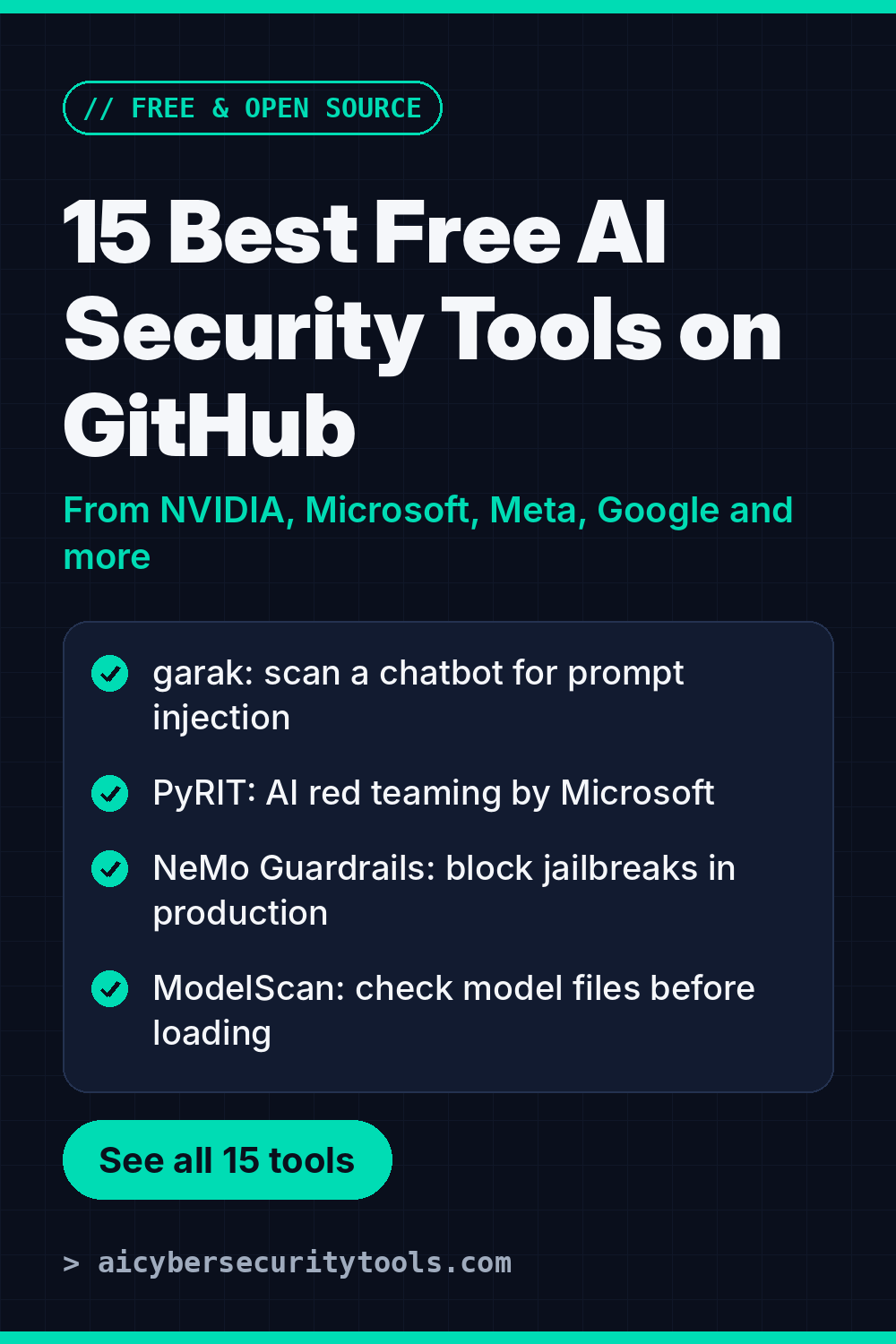
  • 15 Best Free AI Security Tools on GitHub (2026): Open-Source Picks

    15 Best Free AI Security Tools on GitHub (2026): Open-Source Picks

    AI is now part of almost every app, and attackers have noticed. Prompt injection, jailbreaks, data leaks from chatbots and booby-trapped model files are real risks. The good news: some of the best tools for finding these problems are free and open source on GitHub, many of them built by NVIDIA, Microsoft, Meta and Google.

    We checked every repository below on November 16, 2026 to confirm it is still maintained and to note its licence. Several popular tools that still appear in other “best of” lists are now archived, so we’ve flagged those at the end. For every tool’s details in one place, see our AI Security Tools Directory.

    Top picks at a glance

    If you want to…Start with
    Quickly scan a chatbot or LLM for common attacksgarak (NVIDIA)
    Run a serious AI red-team exercisePyRIT (Microsoft)
    Add AI security tests to your CI/CD pipelinepromptfoo
    Block prompt injection and unsafe output in productionNeMo Guardrails (NVIDIA)
    Check a downloaded model file before loading itModelScan
    Use AI to help with an authorised pentestStrix or PentestGPT
    Detect disguised files with machine learningMagika (Google)

    Test your AI app: red teaming and vulnerability scanners

    1. garak by NVIDIA

    garak is often described as “nmap for LLMs”. Point it at a model or chatbot and it runs probes for prompt injection, jailbreaks, data leakage, hallucination and toxic output, then tells you which attacks succeeded. It’s the easiest first scan for most teams. Licence: Apache-2.0. Install: python -m pip install -U garak · GitHub

    2. PyRIT by Microsoft

    Built by the Microsoft AI Red Team, PyRIT automates scans and adaptive multi-turn attacks against generative AI systems and supports human-led testing. Best for security teams that want structured, repeatable exercises. Note that the project has moved from Azure/PyRIT to microsoft/PyRIT. Licence: MIT · GitHub

    3. promptfoo

    A developer-friendly command-line tool for testing and red-teaming prompts, models and AI apps. You describe tests in a config file and run them on every code change, so a risky prompt change gets caught before release. Licence: MIT. Install: npm install -g promptfoo · GitHub

    4. DeepTeam by Confident AI

    A red-teaming framework that simulates jailbreaks, prompt injection and multi-turn exploits against agents, RAG pipelines and chatbots, looking for problems like PII leakage, bias and SQL injection. It runs locally on your machine. Licence: Apache-2.0. Install: pip install -U deepteam · GitHub

    5. Agentic Security

    A vulnerability scanner for LLMs and agent workflows with multimodal attacks (text, image and audio), multi-step jailbreaks and fuzzing. Useful for stress-testing an LLM API. Licence: Apache-2.0. Install: pip install agentic_security · GitHub

    6. Giskard

    Testing for AI agents and LLM apps, including a vulnerability scanner. Version 3 is a rewrite for dynamic, multi-turn agent testing, and version 2 is no longer maintained, so make sure you use v3. Licence: Apache-2.0. Install: pip install "giskard[scan]" · GitHub

    Protect your AI app: guardrails and AI firewalls

    7. NeMo Guardrails by NVIDIA

    Adds programmable “rails” around an LLM app: keep conversations on approved topics, block jailbreak attempts and check inputs and outputs. A strong fit for customer-facing chatbots. Licence: Apache-2.0. Install: pip install nemoguardrails · GitHub

    8. Guardrails AI

    Validates LLM inputs and outputs with reusable validators for PII, toxic language, regex patterns, output schemas and more, from a public hub. Good when you need targeted checks rather than a full policy engine. Licence: Apache-2.0. Install: pip install guardrails-ai · GitHub

    9. Purple Llama by Meta

    Meta’s AI safety and security project. It includes Llama Guard (a content safety classifier), Prompt Guard (prompt-injection detection), LlamaFirewall, CodeShield (filters insecure AI-generated code) and the CyberSecEval benchmarks. Licence: Llama Community License. It’s free to use but has conditions, so read the terms. · GitHub

    Secure your models: ML supply-chain tools

    10. ModelScan by Protect AI

    Model files downloaded from public hubs can contain code that runs the moment you load them (a “model serialization attack”). ModelScan checks formats such as Pickle, H5 and SavedModel before you load them. It’s updated less often than the others, so check for recent releases. Licence: Apache-2.0. Install: pip install modelscan · GitHub

    11. Adversarial Robustness Toolbox (ART)

    A comprehensive library, hosted by the Linux Foundation AI & Data, for evasion, poisoning, extraction and inference attacks against ML models, and the defences against them. Aimed at data scientists and researchers. Licence: MIT. Install: pip install adversarial-robustness-toolbox · GitHub

    AI-assisted pentesting (authorised use only)

    Important: only use these tools on systems you own or have written permission to test. Testing anyone else’s systems is illegal in the US and most countries.

    12. Strix

    Autonomous AI agents that test your application for vulnerabilities, confirm them and suggest fixes. It integrates with GitHub Actions to scan pull requests, which makes it a good fit for development teams. Licence: Apache-2.0 · GitHub

    13. PentestGPT

    An AI-powered penetration testing agent first published as research at USENIX Security 2024, now with an autonomous, agentic workflow in version 1.0. Popular for learning and for lab or CTF practice. Licence: MIT · GitHub

    14. Nebula by BerylliumSec

    An AI-assisted workspace that keeps an engagement’s assets, browser sessions, Kali terminals, notes and findings together. It works with several AI models, including local models through Ollama. Licence: BSD-2-Clause · GitHub

    AI for defence

    15. Magika by Google

    Uses a small deep-learning model to identify a file’s true type, even when it’s renamed or disguised. Google uses it at scale to route Gmail, Drive and Safe Browsing files to the right security scanners. Useful in upload filters and malware triage. Licence: Apache-2.0. Install: pip install magika · GitHub

    How to choose the right tool

    • Just curious, or testing a model: start with garak for a quick baseline.
    • Building an AI app: add promptfoo to your tests, and NeMo Guardrails or Guardrails AI at runtime.
    • Security team running assessments: use PyRIT or DeepTeam for deeper, multi-turn red teaming.
    • Downloading open-source models: scan them with ModelScan before you load them.
    • Customer-facing chatbot: NeMo Guardrails keeps it on approved topics and blocks jailbreak attempts.

    Popular tools we left out (and why)

    • LLM Guard (Protect AI): archived and no longer maintained.
    • CAI (Cybersecurity AI): archived.
    • Rebuff and Vigil: no updates since January 2024.

    Unmaintained security tools miss new attack techniques and may carry unfixed bugs, so avoid them for new projects even if they still rank well in search results.

    How to start safely

    1. Test your own systems only, and use a staging copy of your AI app, not production.
    2. Install in an isolated environment: a Python virtual environment, a container or a test VM.
    3. Read the project’s README and code before running anything, as you should with any open-source security tool.
    4. Give AI agents the least access possible: limited API keys, no production credentials.
    5. Watch your API costs. Red-team tools can send thousands of requests to paid AI APIs.
    15 best free AI security tools on GitHub, including garak, PyRIT, NeMo Guardrails and ModelScan
    Save this list to Pinterest for later.

    Frequently asked questions

    What’s the best free tool to test a chatbot for prompt injection?

    For a quick, broad scan, start with garak. If you want tests that run automatically on every code change, use promptfoo. For deeper, multi-turn red teaming, try PyRIT or DeepTeam.

    Are these tools really free?

    Yes, the code is free and open source. Some companies behind them also sell paid cloud platforms, and testing a paid AI model through its API will cost API credits. Purple Llama uses Meta’s Llama licence, which is free but has conditions.

    Do I need to be a programmer to use them?

    Most need basic comfort with the command line and Python. If you just want to check your own website’s security without installing anything, try our free online security tools.

    Repository activity and licences checked on November 16, 2026. Projects change quickly, so always confirm details on each project’s GitHub page. Want to suggest a tool? Contact us.